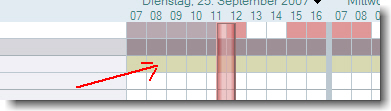
 When planning a meeting, some users do not see any information about free time of some of the invited persons. When you right click on the planner, you can open the calender. When you click left, a “You are not authorized … ” error message occurs in the client’s statusbar.
Access to free time information is set company wide by policy to be visible to all people.
I found out that in all cases where this issue occurs, the “AllowList” field in the persons entry in clubusy.nsf was not empty, although it should be empty

It seems that the field value is not properly deleted or updated when either the adminp tries to install the new mail policy or the user edited the calendar profile document.
When you delete the entries from the field, information about free time is provided.
So far, so good. After the server has updated the clubusy.nsf the error occurs again.
Then I looked closer at the calendar profile and found an entry in the “AllowBusyAccess” field.

Deleting the entry in this field and running a “tell sched validate username” after deleting the user document in the clubusy.nsf finally solved the problem.
Update: Now SPR “MFUN77EK4R”