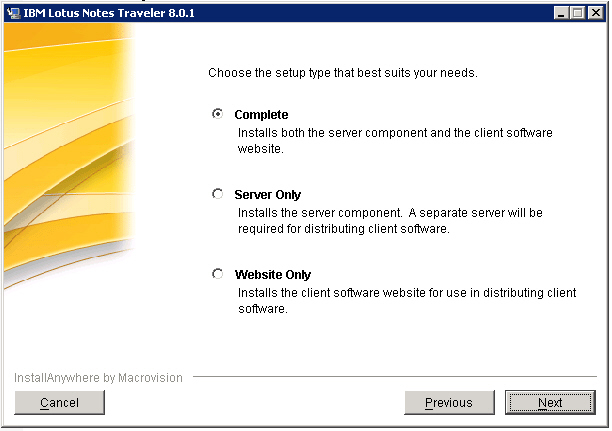
Finally I received my traveler download link last night. The installation was easy and finished without any errors.
But it is sunday morning and I do not own a smartphone. My boss has a smartphone but I will not be in the office until thursday.
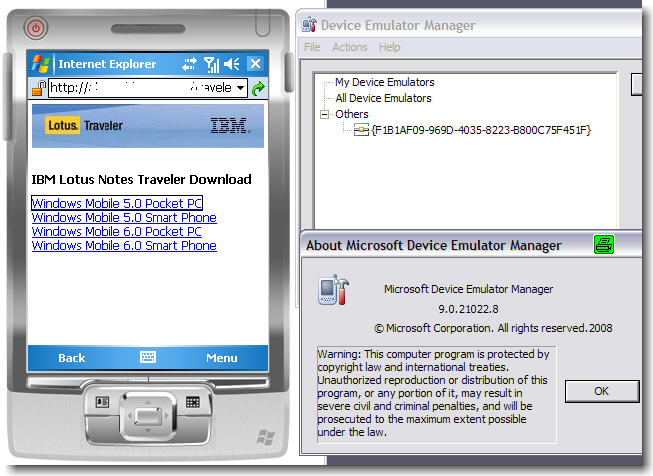
So how can I test the new functionality NOW? I googled and found the Microsoft Device Emulator.
First, download the ZIP file for the emulator. Unzip it and double-click on the vs_emulator.exe, which is the installer for the Device Emulator that will guide you through the installation process. Then, install the Windows Mobile 5.0 MSFP OS image. The installation will create shortcuts on your start menu from where you can launch the various configurations of the Windows Mobile 5.0 MSFP. You will also see a shortcut for the DeviceEmulatorManager using which you can launch any of the installed images.
After you have all set up and running, you can connect to your Domino server running traveler …
Das ist jetzt aber unfair – nur zu sagen, dass es läuft und nicht wie der Traveler sich anfühlt.
Und …
… gutes Tool?
Viele wochenendliche GrüÃ?e – David Schiffer
Na ja, das richtige Feeling hat man ja auch nur mit einem richtigen Device. 🙂
Seit 3 Tagen habe ich den Traveler auf einem WM6 PocketPC im Einsatz. Es läuft problemlos bei mir, nachdem ich die Firewall für den zusätzlichen Port 8642 (autosynch) geöffnet habe.
Traveler fühlt sich gut und schnell an !
So wird das aber nichts mit der Management Karriere. Emulatoren zählen nicht, Du muÃ?t Dir wirklich so ein Ding zulegen.
Wenn Du Dir einen Push Dienst sparen willst stell einfach die Weckfunktion auf Intervall und 10 Minuten und läÃ?t es anschlieÃ?end in Meetings auf dem Tisch liegen.
Hmm, da ist was dran ;-);-)