Schandfleck

( … einer von vielen seiner Art )

Ruettli Schule, Berlin

Ein Knirps wirft eine leere Plastikflasche, ein anderer schmeiÃ?t einer erwachsenen Frau, die vor dem Zaun steht, ein arabisches Schimpfwort an den Kopf. “Hurentochter”, hat er gesagt.

Da spuckt sie ihm ins Gesicht. Willkommen an der Rütli-Schule.


Project Wanda – just Vaporware ??

I wonder if IBM’s project WANDA really exists. It has been announced at the Opening General Session ( Min 41:00 ) of Lotusphere2006.
Was it Ken Bisconti showing an USB-Key to the audience ?

There have been a lot of bloggers sitting in the first row.

If I were Mike Rodin, I’d step down from the stage to those bloggers and have plugged in the key to a randomly choosen computer and start the Notes Client from the thumb.

Nothing like this happens …

I guess, WANDA is Vaporware


Using ScanEZ to modify multiple fields on multiple documents

This is a small tip I would like to share with all users of Ytria’s ScanEZ. Last week I had to modify hundrets of documents in the Domino directory. The domain part of the user’s internet address had to be changed to a new domain.
The old internet mail address should be added to the FullName field to make sure that mail is delivered when the sender does not use the new internet mail address. Here is my formula:

_oldSuffix:="witte-velbert.de";
_newSuffix:="witte-automotive.de";
@If(!@Contains(@LowerCase(InternetAddress);"proepper":"krosta":"witte-automotive");
@Do(
tmp:= @Implode(FullName;"#");
tmp:= tmp + "#"+ @LowerCase(InternetAddress);
@SetField("FullName";@Explode(tmp;"#"));
@SetField("InternetAddress";@ReplaceSubstring( @LowerCase(InternetAddress) ;_oldSuffix ; _newSuffix))
);
"")

I know that ScanEZ can use formulas to modify a field in multiple documents; but I could not find any tip on how to modify multiple fields in multiple documents at a time using formulas (i.e. a formula that will compute with respect to the current document) in ScanEZ. There is a how-to in the FAQ on the Ytria site, but this does not fit my needs

I played around with this awesome tool and here is what I found out.

  • Select the documents to be modified

    Select Documents

  • Choose “Open selected documnet(s) in ScanEZ” from the Actions menue
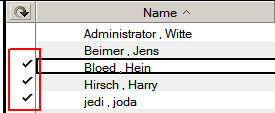
  • Select one document from the documents collection
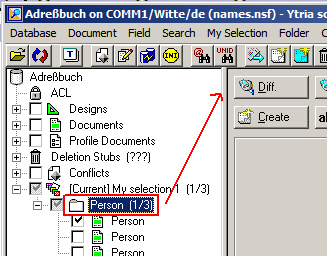
  • Leftclick on the collection’ header
  • Click the “Diff” button

    ScanEZ

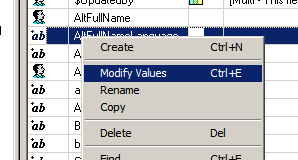
  • Rightclick an entry in the right window and select “Modify Values” from the context menue

    Modify Values

  • Click the “@” button to use a formula; type the fieldname for a temporary field into the name field ( be sure that the fieldname is not part of the document )

    Temporary Field

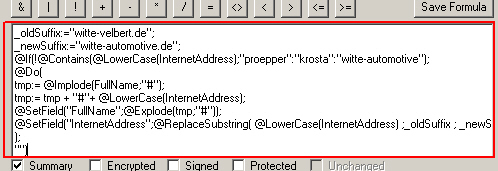
  • Type your formula into the field at the buttom of the dialog

    Formula

  • Click the “OK” button

After the changes are done, you can delete the temp field from all documents.


madicon easyMail 1.1 released

Manfred Dillmann today released version 1.1 of his awesome mass mailer “easyMail“. The most valuable feature in this release IMHO is the ability to select contacts for a mailing by selecting a category only.

Please give this tool a try. There is an evaluation copy available for download. Try it and you will love it. easyMail is neither open source nor freeware, but a single copy license is affordable. In Bruce Elgort’s words, this tool can “save time, money … and your hair”


Schlecht plazierte Werbung

Es gibt Werbung, die ist gut. Das Checker Bunny finde ich ganz witzig.
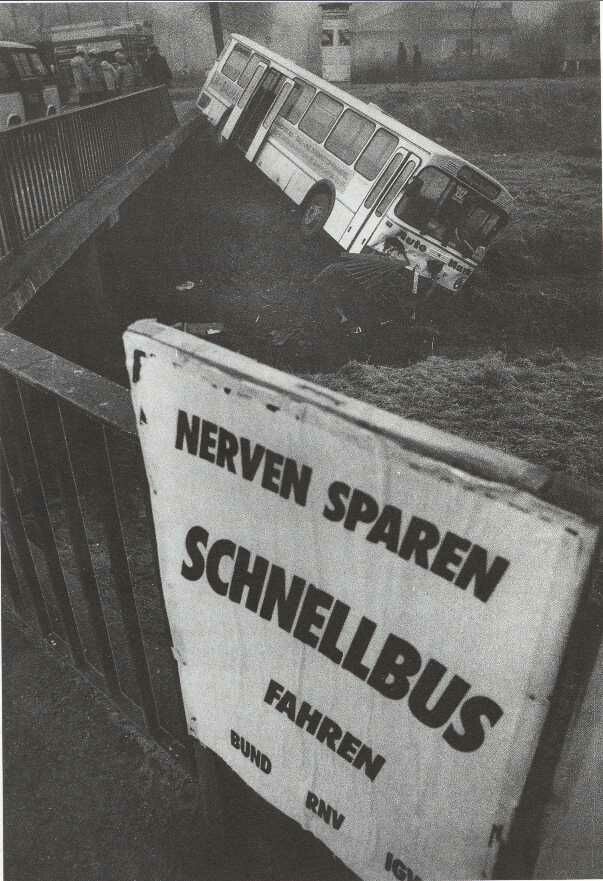
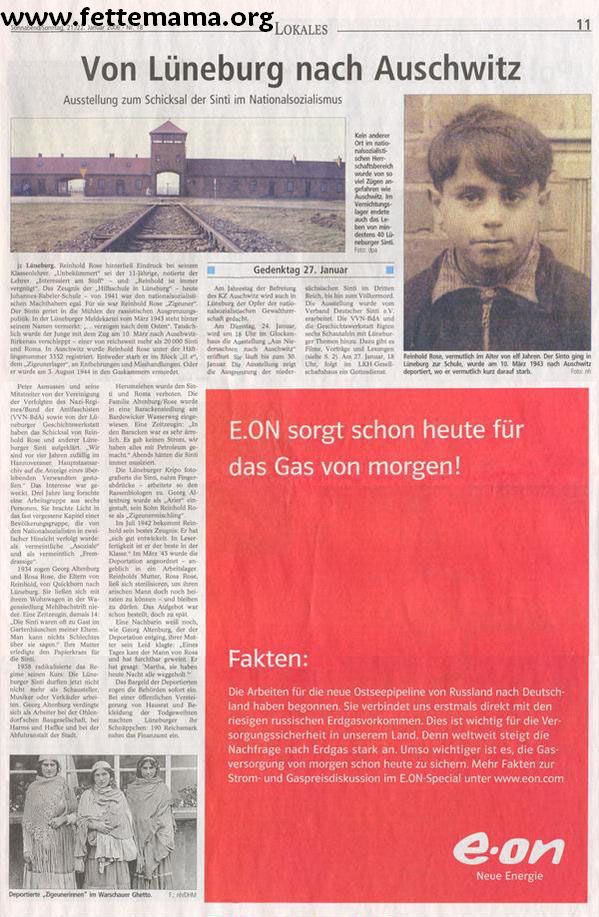
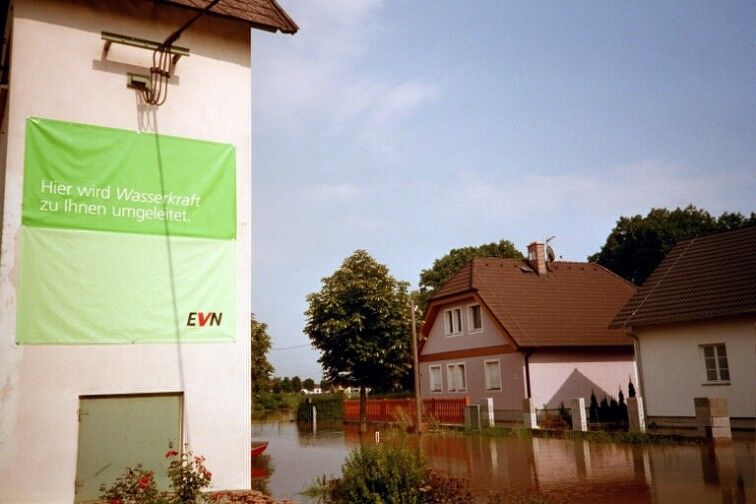
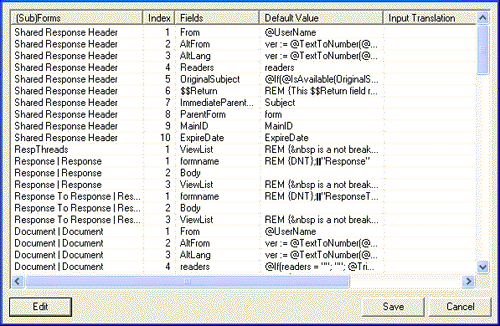
Aber es gibt auch genug Beispiele, wie Werbung durch unüberlegtes Handeln einen völlig anderen Sinn erhält und teilweise ins Groteske abgleiten kann. Hier sind nur ein paar Beispiele von vielen.

Busfahrt  e.on   Hochwasser  Flasche

Klickt auf die Bilder um sie in ihrer vollen “Schönheit” zu betrachten.


OpenSlice

OpenSliceOpen Slice is an application framework for Lotus Notes applications. It is not an application itself, but rather the bottom layer of any application – the first slice of your application sandwich if you will. Open Slice is designed to provide most of the basic elements that any Notes application requires. This allows developers to skip the basic stuff, and get right to the “meat” of the application.

While there may be some new things, many things within Open Slice will be familiar, particularly to developers who have built up their own repositories of code over the years. So then the question should be asked – what does Open Slice give me that I don’t already have? The answer to this is that Open Slice provides a single consistent approach to all of these common elements, and an easy mechanism for updating these elements across multiple applications. It helps to eliminate variations in coding techniques between different developers, and most importantly it will save you time. Finally, because it is open source, it allows you to see the code and continue to build and use your own code libraries right along side the Open slice framework.

In addition to the basic framework, over time Open Slice will continue to evolve with additional application objects (MS Word reporting, Organisation Hierarchy Processing), and complete applications (document library, discussion database) based on the Open Slice foundation.

Must-Have tools and templates

IBM ships a couple of default templates with every release of Lotus Notes Domino. There are loads of templates you can download and use free of charge from OpenNTF. And you can find much more when surfing the internet.

I’m not only talking about open source and free of charge tools and templates for every-day-work.

Let me know about your “must-have” gadget or your favorite kewl tool; … post a link to an awesome template; … write your success story; … how do you use standard templates? 😉


From the 7.0.1 Fix List

You can use LotusScript to automatically specify a different printer other than the default printer, and reset a printer to be the default for all software applications. However, if you do this, Lotus Notes fails to pick up the Windows Registry printer setting change. All other software applications correctly pick up the changed setting.

SPR# DJOE587EW3 – With this fix, Notes reponds correctly after changing the default printer using LotusScript. *YEEHA*

[via Lotus Notes Knowledgebase document # 1194457]