My Home Office

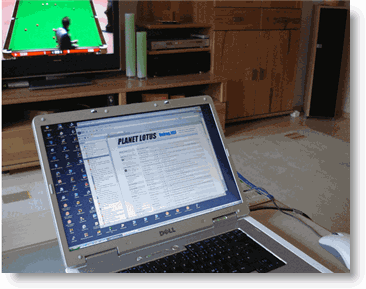
This is my Dell Inspiron 9400 Laptop with 17” wide screen display.

In addition to the Dell device, I have am IBM R60 which I use at work or when I am on the road.


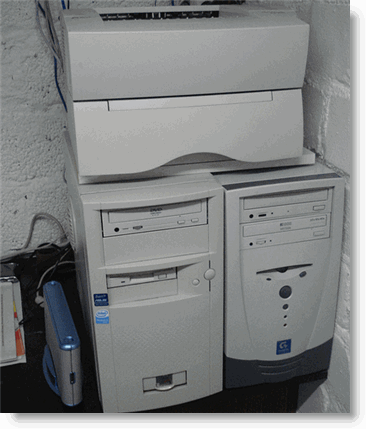
Downstairs in the cellar you’ll find 2 servers. One server does all stuff communication. The second one is for DVB-T video recording and all other things regarding entertainment ( mp3, Jukebox ). The server is connected with TV and HiFi equipment in the living room.


Remove Google Chrome ID

Locate the LocalState file in Documents and Settings\Profle Name\Local Settings\Application Data\Google\Chrome\User Data\

Open the file and search for “user_experience_metrics”

Remove the client_id and client_id_timestamp value. The entries should look like this after deleting the values.

“user_experience_metrics“: {
“client_id”: “”,
“client_id_timestamp”: ‚’’’’,

Save the file and make it read only.

When you restart Chrome, a new file is created “Local State.tmp” Proceed the same steps as described for the LocalState file.

That’s it


Chrome Clone Iron: The Browser of the future ?

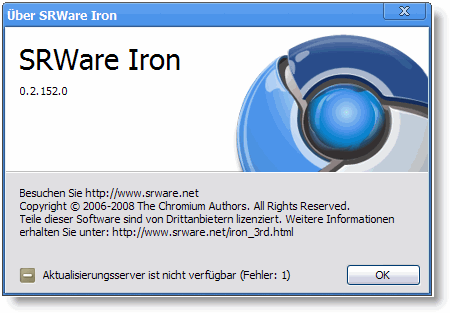
In conjunction with the release of the new Chrome web browser, Google has also launched Chromium, an open-source software project that enables third-party developers to study, modify, extend, and redistribute the underlying source code of the Chrome browser.

Developers at SRWare immediately investigated the source code and created a Chrome clone named Iron. For a comparism of Iron and Chrome at privacy read this document.


Notes 8.0.x – Webbrowser, Standardbrowser, HTTP Preview

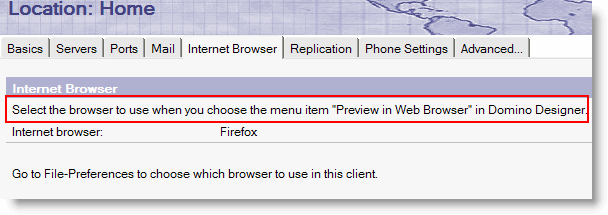
As you all know, you can select the browser to use in the Notes Client by editing the location document and select the browser in the “Internet Browser” tab. So far, so good. This works fine, if you want to use a different browser as the standard browser registerd for your computer in the Notes Client.

I do not know exactly when IBM changed this, but I know that it has been changed.

Take a look at this screenshot:

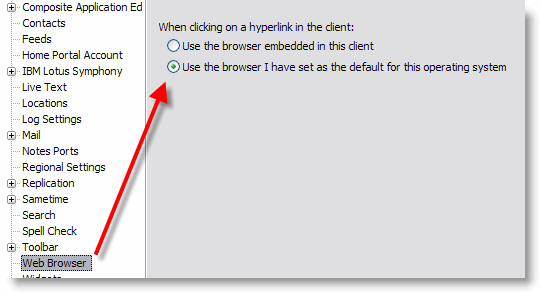
Your selection now only has an effect for the “Preview in Web Browser” option in Domino Designer. To set the browser to be used when clicking on a http link in a notes document, you now have to go to “File – Preferences”

What I am missing is an option to select a differnt browser like you could do in the location document prior to Notes 8.0.x.

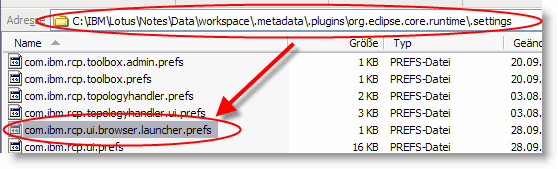
UPDATE: The Web Browser preference is stored in the file system. ( see screenshot )


Trouble With VMWare Server 1.0.7

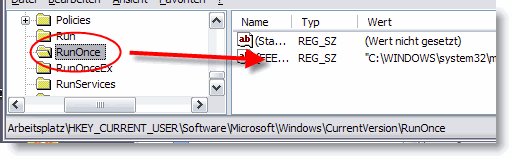
I upgraded my VMWare server 1.0.6 today to version 1.0.7. The update process completed without any error or warning. After rebooting my PC, the installation restarted again. If you get into the same situation, just start “regedit” and search for the key “RunOnce” ( as whole word ).

You will find an entry pointing to somthing like “~setup\VMware Server.msi”. Delete this key. The next time you start your PC, the installation will not execute again.


Delete Domino Windows Service

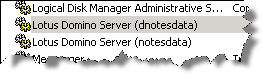
Under some circumstances, the installer leaves an additional service in the list of available windows services.

How can you delete this obsolete service? In Notes/Domino 4.x, there was an executable called ntsvinst.exe that was installed by default in the program directory of the server. This allowed the server to be set up easily as a service. This executable was removed in R5, but has been re-added in Domino 6.x. an is also available in Domino 8.0.2.

To uninstall the obsolete Domino service:
1. Click on Start -> Settings -> Control Panel. Double-click Administrative Tools and then double-click on Services.
2. Find Domino in the list of services. By default it will be “Lotus Domino Server (lotusdominodata)”.
3. Open a Command Prompt window by selecting Start -> Run, type cmd, and press Enter.
4. Go to the Domino program directory.
5. Issue the following command:

ntsvinst -d -t”Lotus Domino Server (lotusdominodata)”

Note: There is no space between -t and the first quotation mark. The service name between the quotes is not case sensitive.

6. Refresh the Services window to confirm the service is no longer listed.


Why is it so hard to get a valuable answer from IBM support?

A few days ago, I talked about the “Disable Export View Data” feature which is available in Notes 8.0.2 and that there is a technote in which a IBM technote contributor wrote that

Enabling or disabling of this option can also be done using an API call (setOption) or a  LotusScript (SetOption)

Playing around with the GetOption method of the NotesDatabase class, I finally found out, which value has to be used to enable / disable this new feature.

Thomas Bahn suggested to open a PMR to tell IBM that the option is not documented in the designer help. I did open a PMR on the same day …

Here is what I asked for:

ESR: Disable Export of ViewData is new to 8.0.2. Technote #1314694
says that “Enabling or disabling of this option can also be done using
an API call (setOption) or a LotusScript (SetOption). ”
Which OPTDB_ .. constant must be used? Not documented in designer help

The first update by first level support

Looking for hints

Well, this is OK, so pls. look for hints and let me know, what you’ve found.

A couple of hours later, the next update

So far – only 2 “don’t knows”
To continue on Monday.

Next update on monday

… Unfortunately I can not answer
it this far  but I hope I will be able to do it shortly.

In the meantime, first level support escalated the PMR to BE.

Another 6 hours later, BE answered

… I did not understand what is being asked from us. Can you let me know what exactly is the question or what is the customer looking for.

I do not know, what the heck is going on. English is not my native language. But is it really so hard to understand a simple question?

Is there really a difference between the lines, I wrote as initial question in the PMR and the “translation”, firstlevel support sent to BE?

All information I have is in the PMR – I don’t speak customer’s native
language and had no other info than that already in the PMR.
My understanding of the problem is however that customer wanted to “use
API call (setOption) or a LotusScript (SetOption)”. In particular he
asks “which OPTDB_ .. constant must be used?” Because it is “Not
documented in designer help”.

And here is the latest update

… Confirmed that the requested information is not in designer help.

Ehm … I already know this, IBM!

More (Yet) Undocumented Database Properties

Here is a list of yet undocumented values for the GetOtion / SetOption method of the NotesDatabase class.

GetOption(82) / SetOption(82,true) = Enable Compress document data
GetOption(81) / SetOption(81,true) = Use DAOS

Use DAOS also created a new field $DAOS in the NotesIcon design note if the field is not available and update the field value to 1 (enabled) or 0 (disabled) when the field is already present

Both are only available with ODS 51

GetOption(74) / SetOption(74,true) = still unknown, but adds O to $Flags

And here are a few database properties that can be get / set by modifying the $Flags field programmatically

$Flags = I = Inherit operating system theme from Notes preferences (ODS 51)
$Flags = q = Compress Database Design
$Flags = C = Allow connections to external databases using DCRs

Finally, if you want to find out, if the “Enable enhanced HTML Generation” property is enabled, check if field $AllowPost8HTML is available in the NotesIcon design note. The according theme is stored in $DBTheme.


Undocumented NotesDatabase.Get / SetOptions

Today, I was looking for which value to use with the SetOption method of the Notesdatabase class, I discovered as few other undocumented values that can be used to get and set some database options programmatically using Lotus Script.

75 = Support Response Thread History
76 = Don’t allow simple search

And, finally for the new Option in Notes 8.0.2

85 = Disable Export Of View Data

There is also a value of 74, but I could not figure out, which option corresponds to this value.


Why Is the Last Line in the NOTES.INI Not Taking Effect?

Although all experienced Notes administrators and developers (might) know why, I would like to commemorate the anwer to the question.

Any parameter that is added as the last line in the NOTES.INI file requires that there be a hard carriage return (the ENTER key) after the last line to ensure that it will take effect.  Without a hard carriage return, the last line will not be recognized.

May this help a Notes newbee to save a few minutes time …


Export View Data (Update)

Last month I wrote about the new “Disable View Export” feature in Notes 8.0.2. In another post I stated that it is not possible to set this option programmatically using LotusScript.

Yesterday I stumbled upon an IBM Lotus Software Knowledgebase technote. This technote says that

Enabling or disabling of this option can also be done using an API call (setOption) or a  LotusScript (SetOption).

I cannot find anything about this in the designer help.  Has anybody any information about which (undocumented) “DBOPT_ …” constant to use with the notesDatabase.SetOption( optionName% , flag ) function?

UPDATE: 85 = Disable Export Of View Data
more undocumented stuff